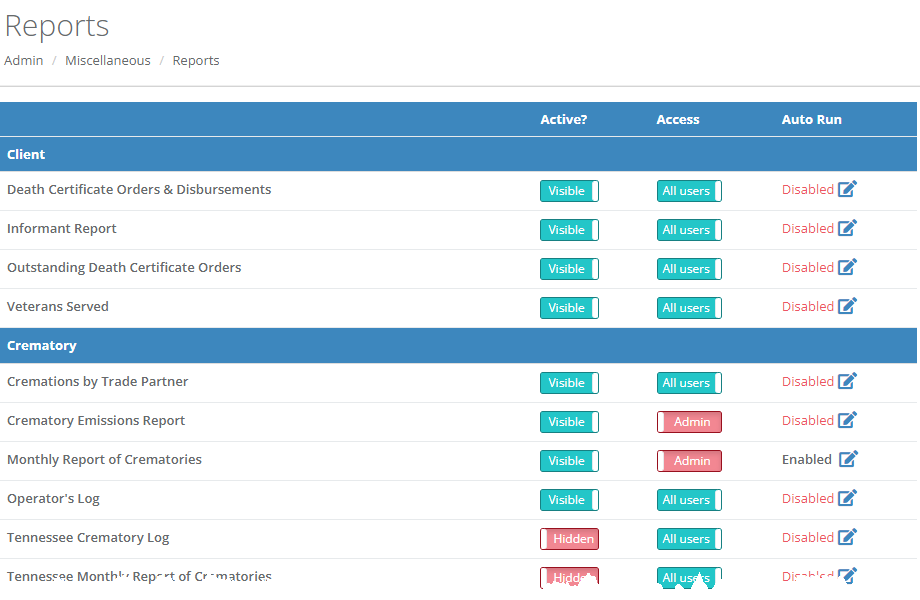
The Admin>Miscellaneous>Reports screen allows administrators to manage user access to reports and mange which reports are visible on the Reports screen.
Toggle the button in the "Active?" column to set reports as visible or hidden on the Reports menu. The "Access" column allows you to restrict reporting access to administrators only.
Click the edit icon in the "Auto Run" column to configure a report to automatically run.

Use the dropdown menu to select employees to send the auto report to. Specify the date range for your auto report, as well as the frequency of which you would like the report to be run and sent. Click "Update Configuration" to save your changes.
The reports automatically run and are emailed out in the early morning hours (EST) on the frequency you define.
Comments
0 comments
Please sign in to leave a comment.