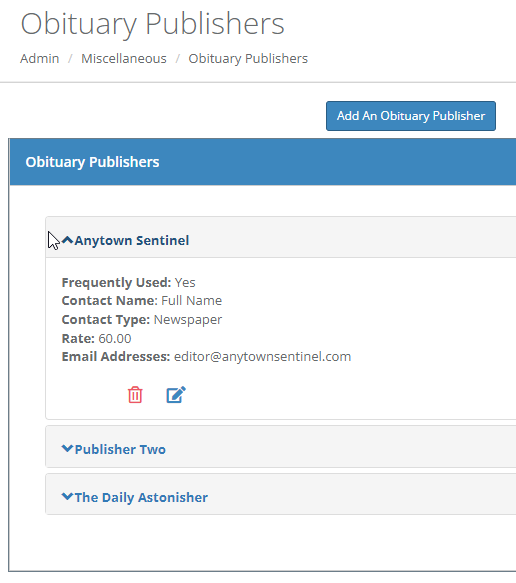
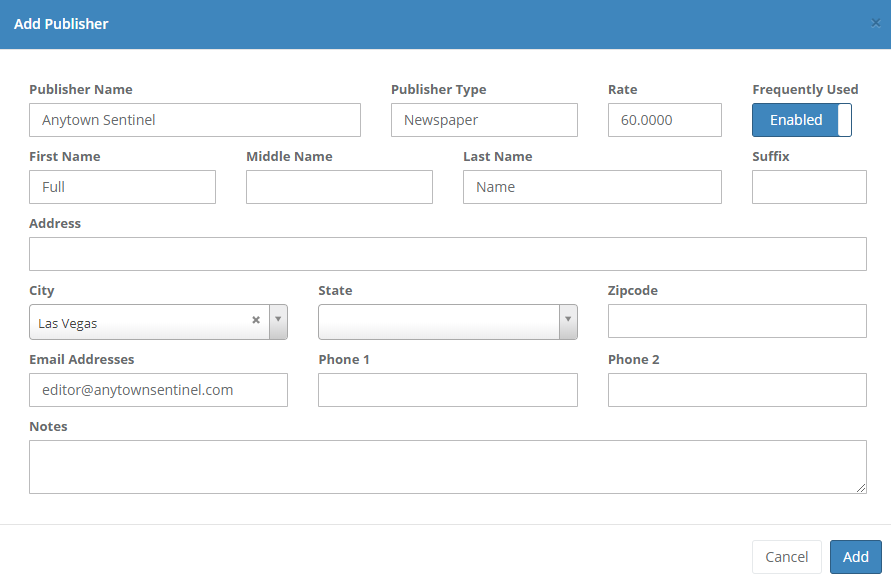
This screen allows you to maintain obituary publishers such as newspapers. To add a new publisher, click go to Admin > Miscellaneous > Obituary Publishers and click on "Add An Obituary Publisher". Click the trash can icon to delete a publisher. Click the edit icon to edit or the trash icon to delete a publisher. Creating a new obituary publisher or editing an existing publisher will take you to the following screen where you can enter information about the publisher. Click whether you would like the publisher to be marked as "Frequently Used". When you are emailing an obituary, your frequently used publishers will be displayed in a checklist, and other publishers can be selected from a dropdown menu. See the help manual section for the case Obituary tab for more information on emailing obituaries.
Comments
0 comments
Please sign in to leave a comment.