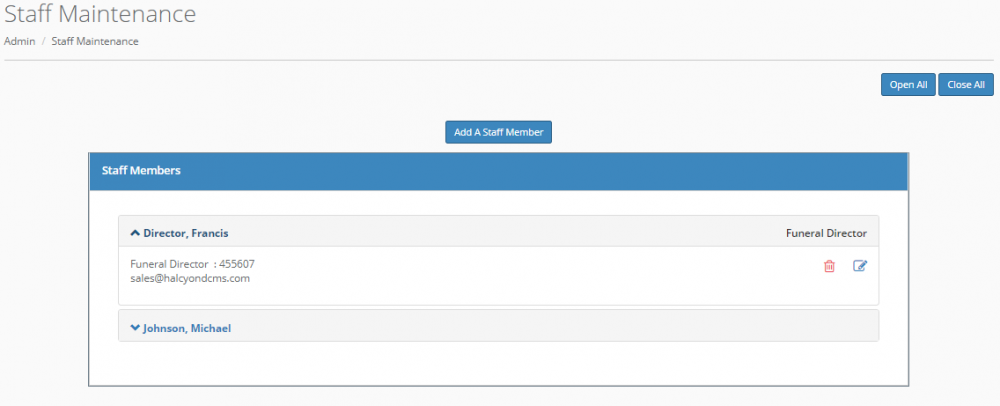
This page will allow an admin to add or remove staff members. You can click the name of an existing staff member to view the information for that staff member, as well as edit or delete them. To display the detailed information for all staff, select "Open All". To close the detailed information windows and display only the names and titles for staff members, select "Close All".
Click “Add A Staff Member” to add a new member.
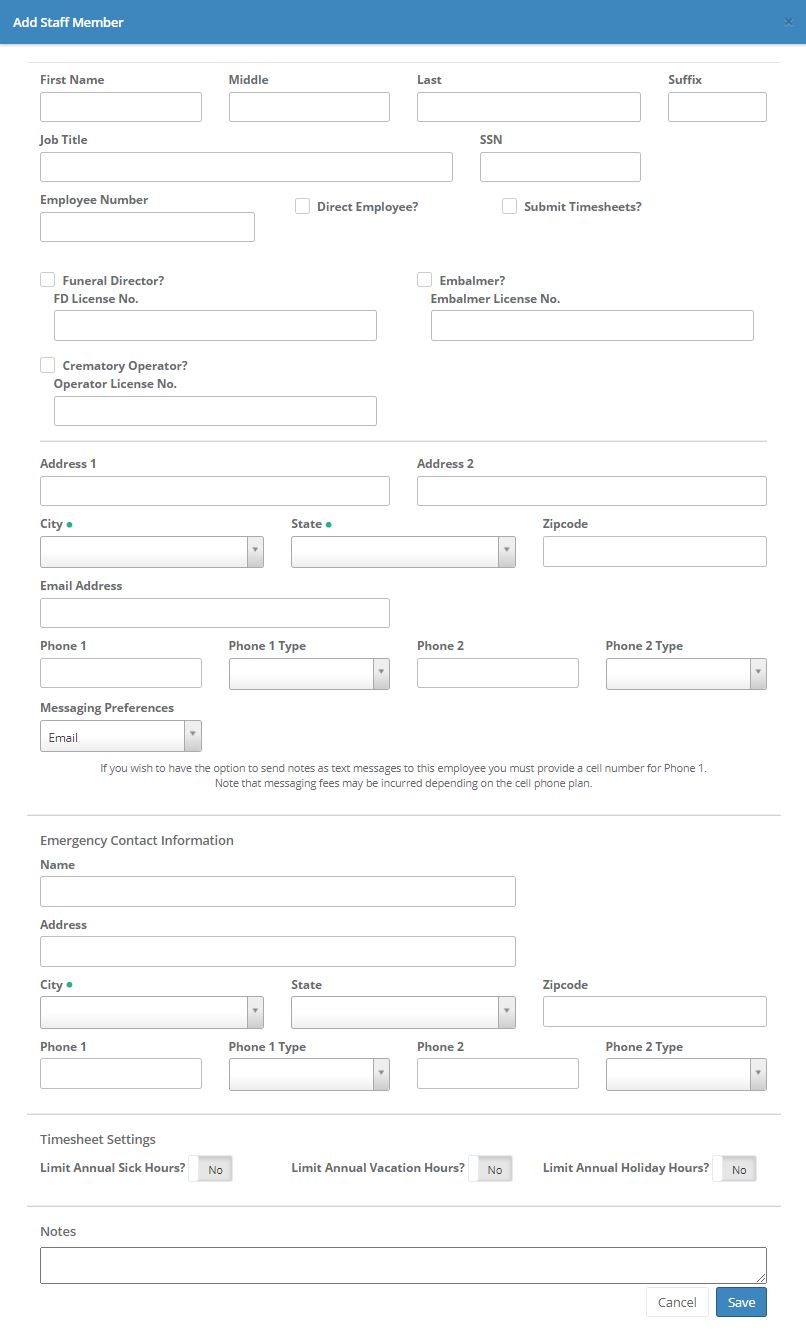
All information for staff members is maintained via this option.
If the staff member is a funeral director, an embalmer, or a crematory operator, check the appropriate boxes and enter their license number. This information (like most information in Halcyon) will automatically fill where appropriate in forms.
The Direct Employee option is set to "on" by default, but can be turned off by checking the box.
When the "Submit Timesheets?" box is checked, the staff member's name will appear on the drop-down list in the Timesheets module.
The messaging preferences are used to optionally email or text notes and/or tasks to staff members. If you have set an option for message preferences for a staff member, you will be able to send client notes to those people directly from Halcyon - eliminating the need to phone or separately email the person. See the Client Overview and Miscellaneous sections for more information on maintaining and sending notes.
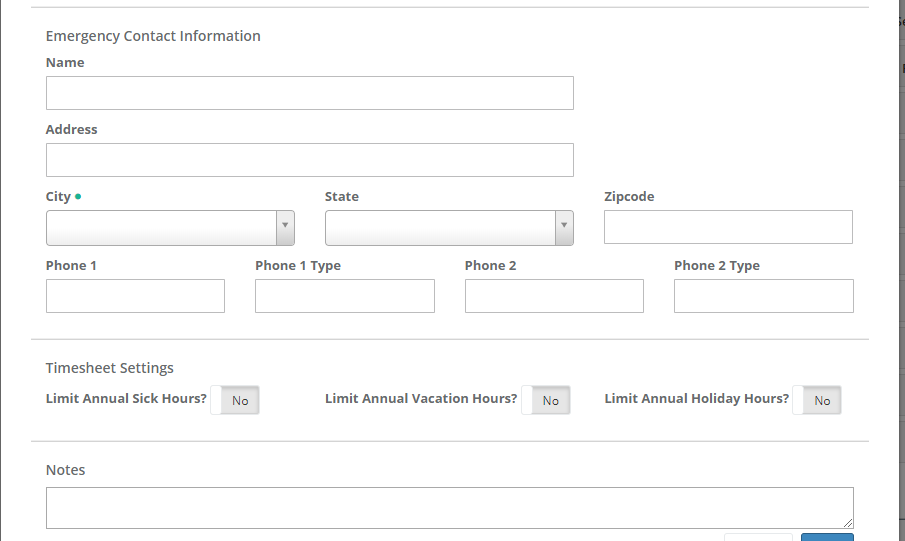
To limit a staff member's annual sick, vacation, or holiday hours, toggle the switch and enter your desired limit. This information is used for Timesheet Maintenance functions.
If you need to remove a staff member click on the red trash can. Their login will be disabled, if they have one.
Special notes for SuperAdmin Locations
If your company is configured with SuperAdmin access, the information for SuperAdmins can only be edited by that SuperAdmin. "Regular" Admins will be able to see the information for the SuperAdmin staff memeber but there will not be an edit or delete option for the SuperAdmin staff member.
Comments
0 comments
Please sign in to leave a comment.