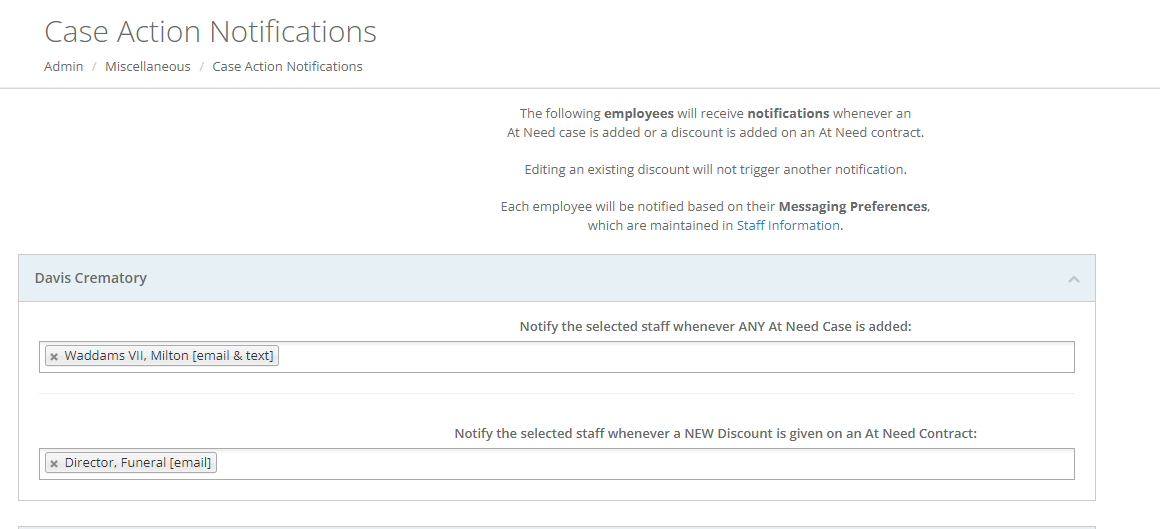
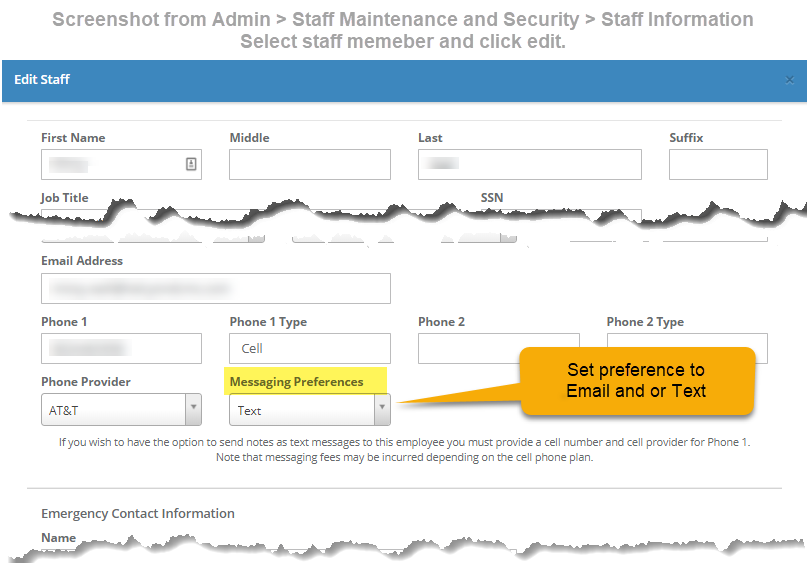
This feature will allow you to define employees to receive text and/or email notifications whenever an At Need case is added and/or a new discount is given on an At Need contract. Note that editing an existing discount will not trigger another notification. The notification method(s) - text and/or email - are maintained via the Messaging Preferences defined in Admin > Staff Maintenance and Security > Staff Information.
Go to: Admin> Miscellaneous > Case Action Notifications.
To receive text messages, the first phone number should be a Cell phone. Messaging rates may apply depending on the type of plan.
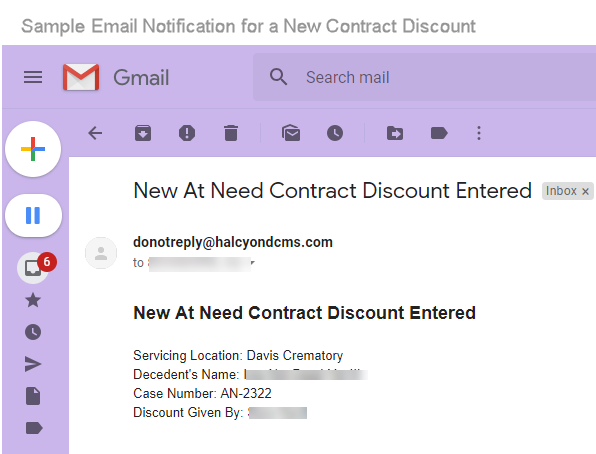
Reminder: messages are sent for new events only. Edits to cases or existing discounts will not trigger another message. (A new discount added to a an existing case would send a message.)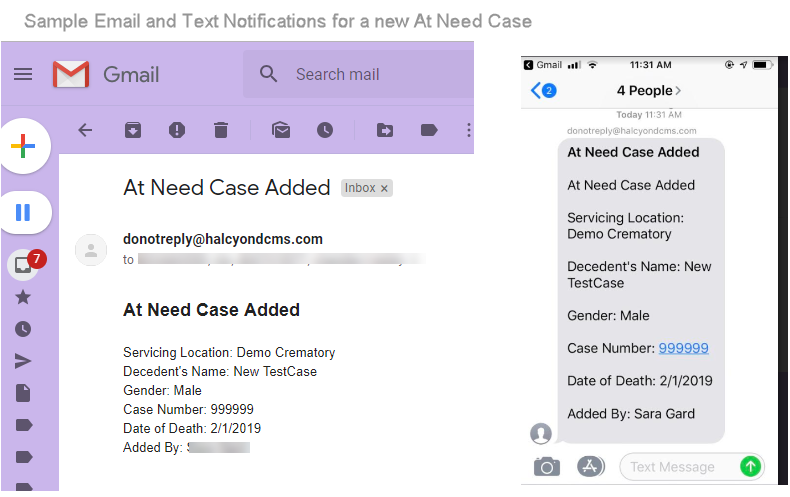
Comments
0 comments
Please sign in to leave a comment.