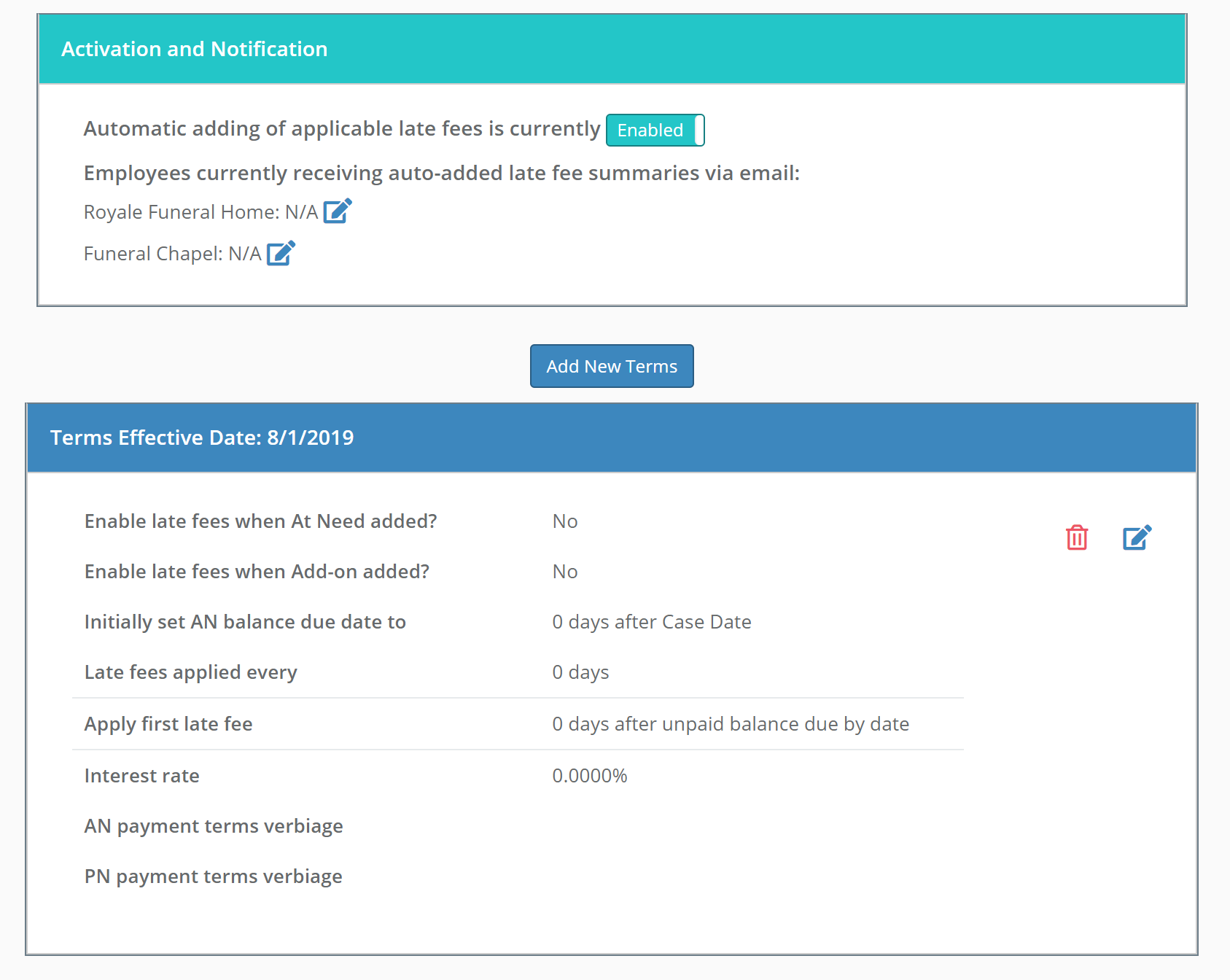
Halcyon allows for late fees to be automatically applied based on terms that you can define. The auto late fees can then be disabled on selected cases.
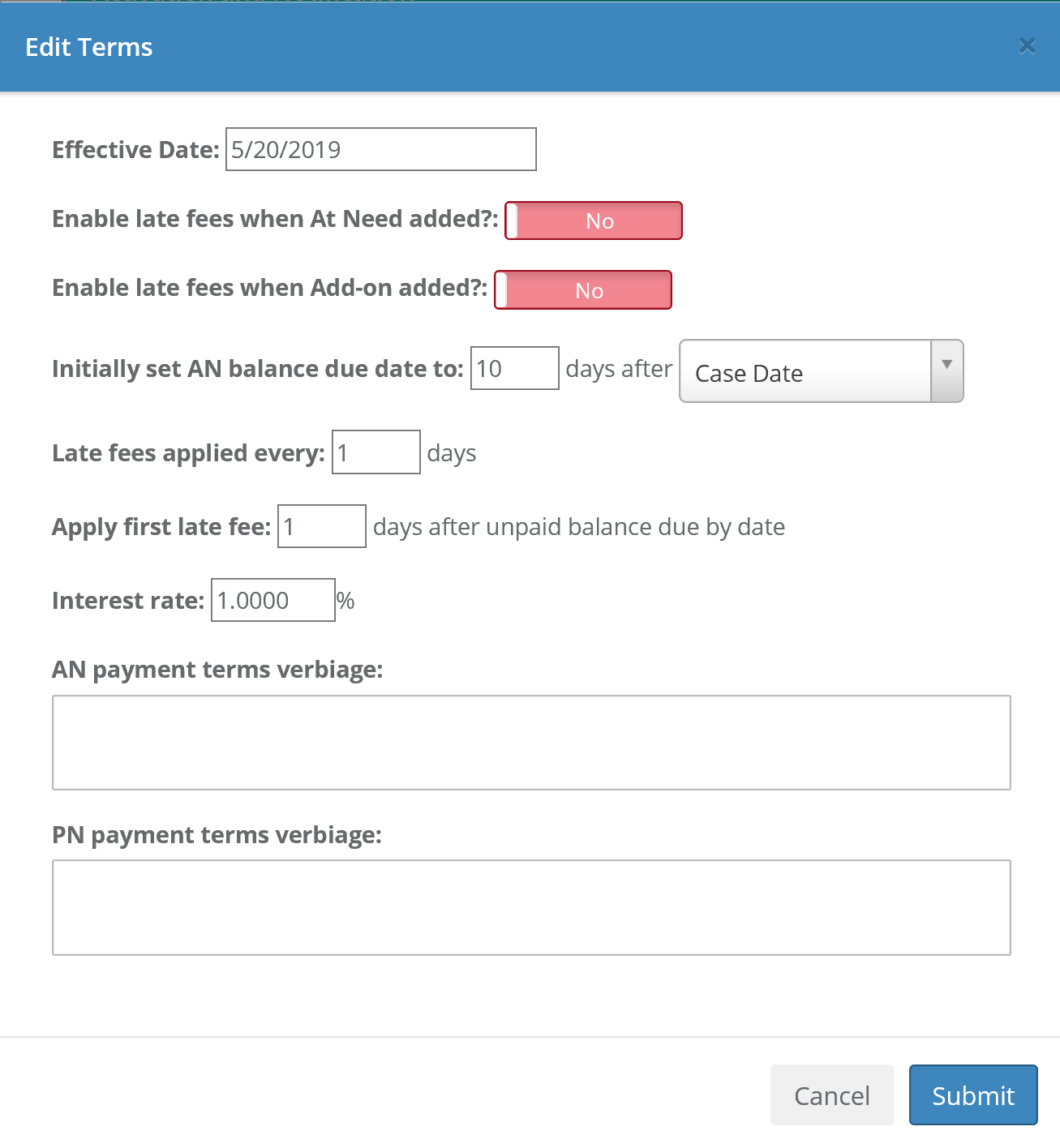
Administrator-level users can setup the fees and terms at Admin > Financial Maintenance > Late Fees and Terms. All setups can be done to be effective on a certain date. The system allows you to be notified when late fees are added. You can also setup your balance due date to be automatically set based on Case Date, Date of Death or Date of Service. You can have that setup without enabling late fees.
You can also setup the "terms verbiage" you want applied and those terms will show up on the Statement of Goods and Services (custom contracts may need to be modified). The contract will display the "terms verbiage" that you setup so just entering a percentage to be applied will not be enough to get contract language to change.
Note that late fees cannot be applied retroactively.
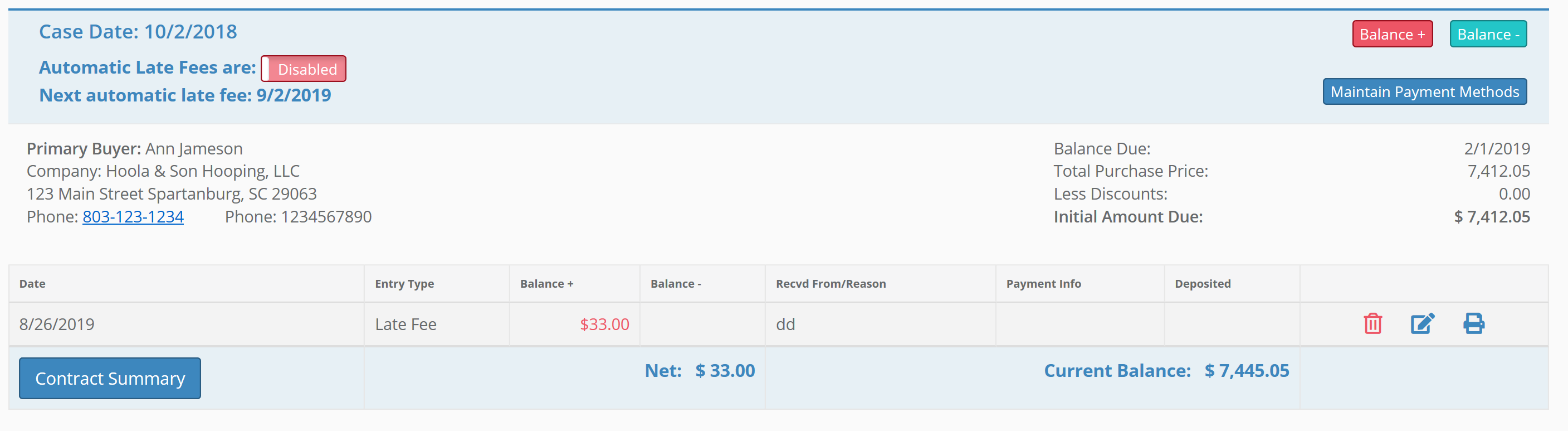
To disable automatic late fees for a specific case, go the the the Account tab for that case.
Comments
0 comments
Please sign in to leave a comment.