NOTE: This article only applies if your funeral home or crematory is configured for multi-branch/servicing locations.
If your funeral home or crematory is configured for multi-branch/servicing location you may wish to use a different automatic case numbering scheme for each servicing location.
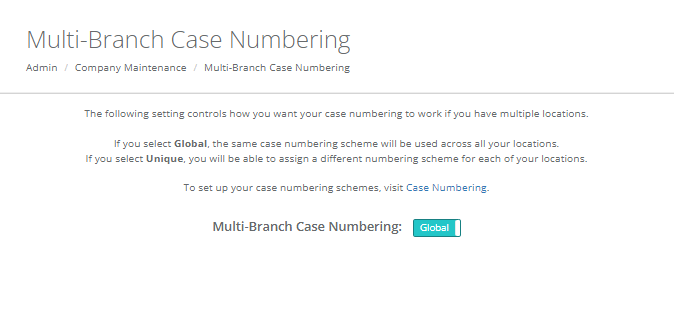
If you choose "Global" from this screen, the same automatic case numbering scheme will be used for all locations. If you choose "Unique" you may define a different numbering scheme for each location. See the documentation for Case Numbering for details on configuring your numbering schemes.
The difference between Global and Unique auto-numbering schemes may be better understood by example. In our example we have two servicing locations, Location 1 and Location 2.
Global Automatic Case Numbering Example
Via ID Numbering Scheme Maintenance we have defined our At Need cases to use automatic case numbering and have set a Prefix of AN-, a next sequential number of 2 and a suffix of -19. We add an At Need case and select Location 1 as the servicing location. Since we have auto-numbering setup for At Needs, our case number will automatically be set to AN-2-19. The next At Need case entered is for Location 2. Our case number will be AN-3-19. The next case will use AN-4-19 regardless of the servicing location.
Unique Automatic Case Numbering Example
Because we have defined our multiple servicing location case numbering to be Unique we will be able to define a unique numbering scheme for each of our locations within ID Numbering Scheme Maintenance. In this example, we have defined Location 1's At Need cases to use automatic case numbering and have set a prefix of Loc1-, a next sequential number of 12 and a suffix of -19. We have defined Location 2's At Need cases to use automatic case numbering and have set a prefix of Loc2-, a next sequential number of 97 and a suffix of -Blue.
When you add a case for Location 1, the case number will be Loc1-12-19. When you add a case for Location 2, the case number will be Loc2-97-Blue. The next Location 1 case will use the number Loc1-13-19. The next Location 2 will use the number Loc2-98-Blue.
Notes:
- You do not have to use automatic case numbering for all locations, you can have one location use automatic numbering and another use manual case numbering.
- The default numbering is Global.
Comments
0 comments
Please sign in to leave a comment.