Place Tracking Hold on a Case
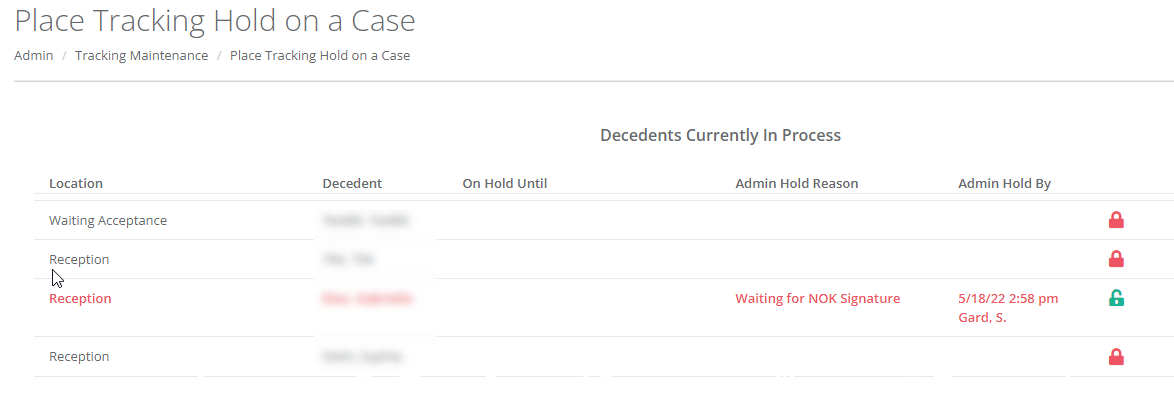
This option allows an administrator to maintain holds for decedents currently in process. To set a case hold, click the red padlock icon. You are required to enter a reason for the case hold (e.g. "Waiting on NOK signatures"). The date time and user account is also recorded. To release a hold, click the open green padlock icon and enter the resolution (e.g. "NOK signatures completed").
Place Tracking Hold on a Location
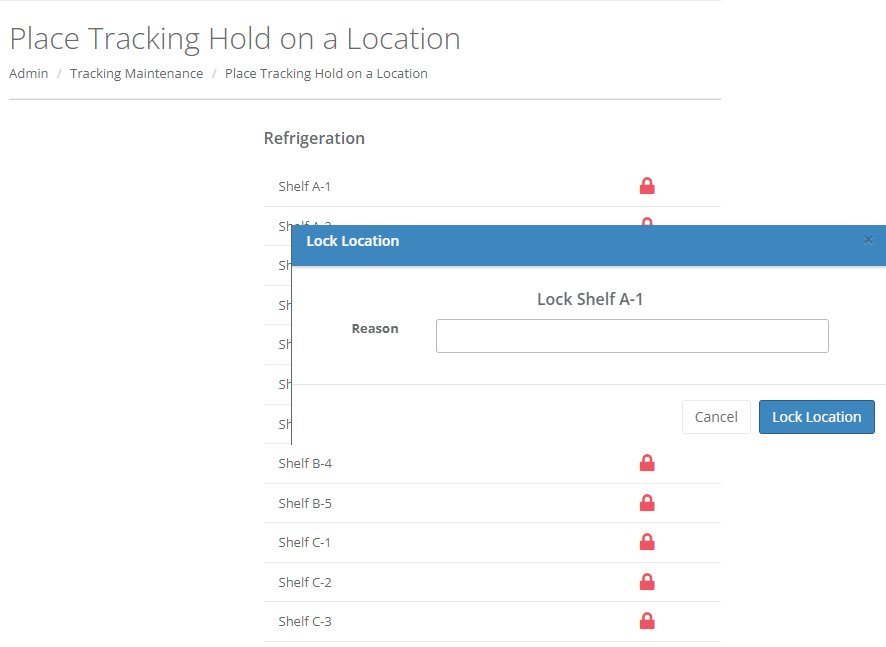
This option allows an administrator to place a hold on a location (i.e. lock the location) to prevent cases from being moved into it in the system. Click the red padlock icon, enter a reason and click the "Lock Location" button. You are not able to place a hold on a location that is currently in use. The date and time also recorded. To release a hold, click the open green padlock icon and enter the resolution.
Comments
0 comments
Please sign in to leave a comment.