This page will allow you to create new staff logins, edit existing staff logins, or delete them.
Halcyon Platinum automatically times out after one hour of inactivity and will log any users out of the system at this time.
When a staff member is added via Staff Maintenance, a login will automatically appear for them on this screen. You can edit to change their access privileges, login information, personal information, and options/client functions that appear for them. You can also create a new staff login by clicking the "Add Staff Login" button.
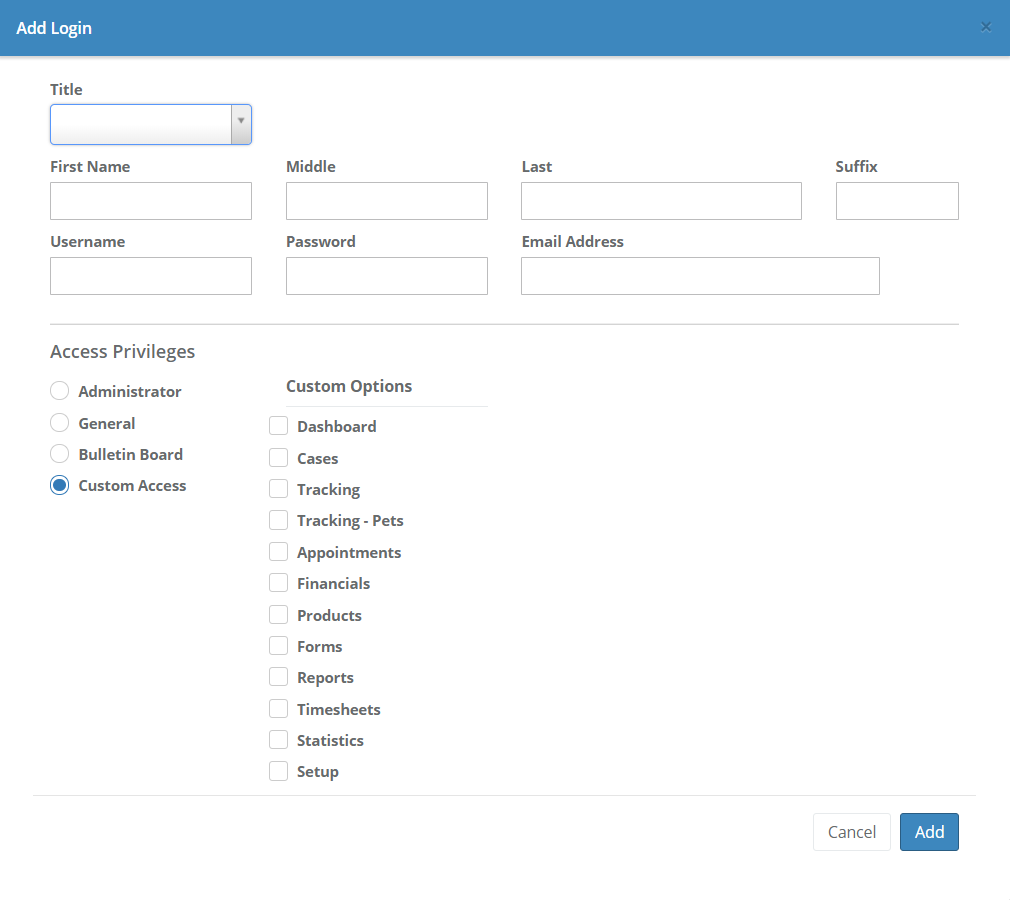
There are four different access levels you can choose from for staff logins.
Administrators will have access to all options available in Halcyon Platinum.
General users will have access to all available menu options except Admin.
Bulletin Board logins will display a Dashboard with the Upcoming Gatherings and Daily Schedule widgets.
Custom Access allows you to create logins with access limited to whichever menu options you select from the available checkboxes. Note that if you have the Cases option checked, you will have the ability to check off which tabs from the Cases menu that will be visible to this user.
Comments
0 comments
Please sign in to leave a comment.