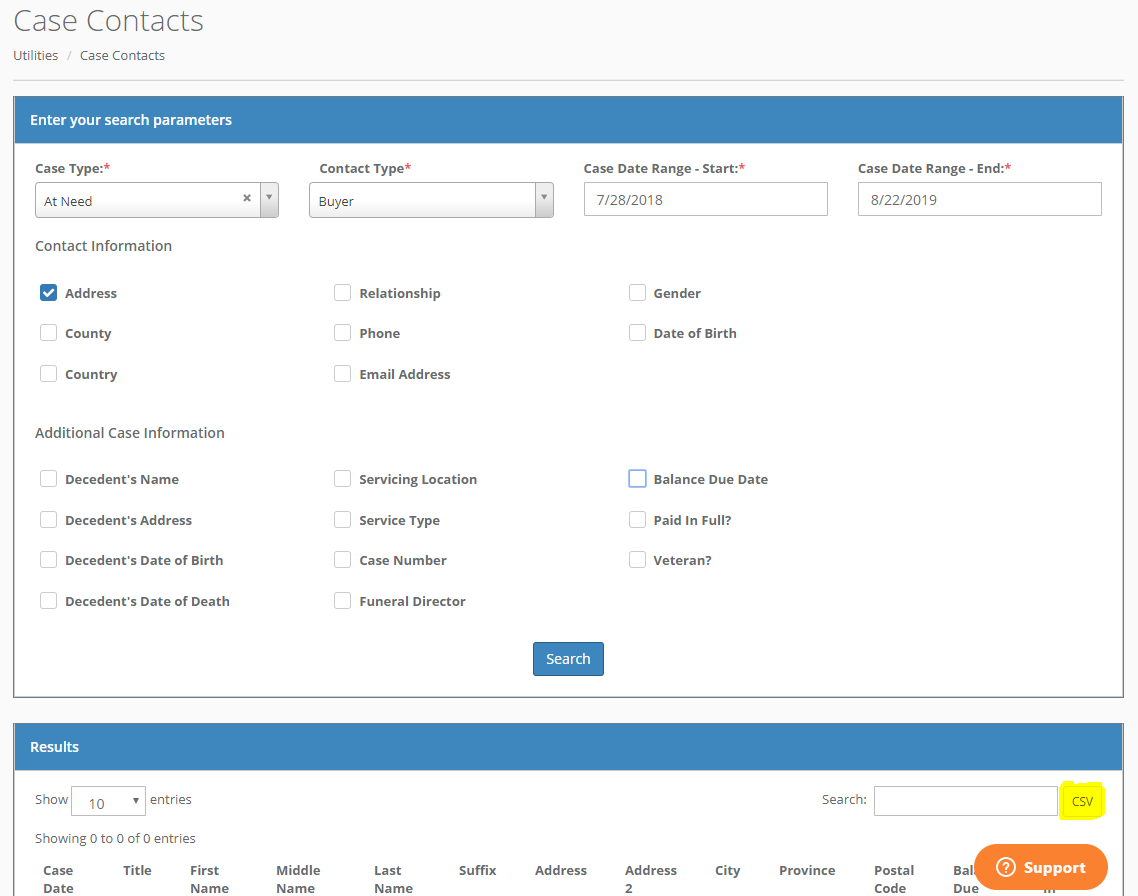
The Case Contacts option under Utilities allows you to select various pieces of contact information data and then optionally download a CSV file with the data. You can use this data however you wish. For example, you could to create a mail merge file so you can send emails or other correspondence to a specific subset of your case contacts.
You must enter a case type, contact type (Buyer, Informant or Next of Kin) and Case Date range. Then you may check off the boxes next to the additional information you would like in your report and click the Search button. You may filter and sort the results. To download a CSV of the data, simply click the "CSV" button on the right next to the Search bar. (Highlighted in the image below).
The file will be downloaded to your computer into the folder you have currently defined as your download folder. You may then open up the file in Excel or any other program that can read CSVs.
Comments
0 comments
Please sign in to leave a comment.