This search is extremely flexible and allows you to customize searching for cases that match your desired criteria.
Check the boxes next to the data you wish to include in your results. You can limit the returned information by specifying data in the fields underneath each option.
For example. if you wish to view all clients and the funeral director for that decedent you would check the boxes next to Decedent Vitals and Funeral Director. If you enter any part of the name in the fields below funeral director you can limit the returned results to just the clients served by the matching funeral director.
(Note that the example screen shot is for a customer that also offers pet services so there are options to search for pet criteria. You will not see those options if you do not provide pet services.)
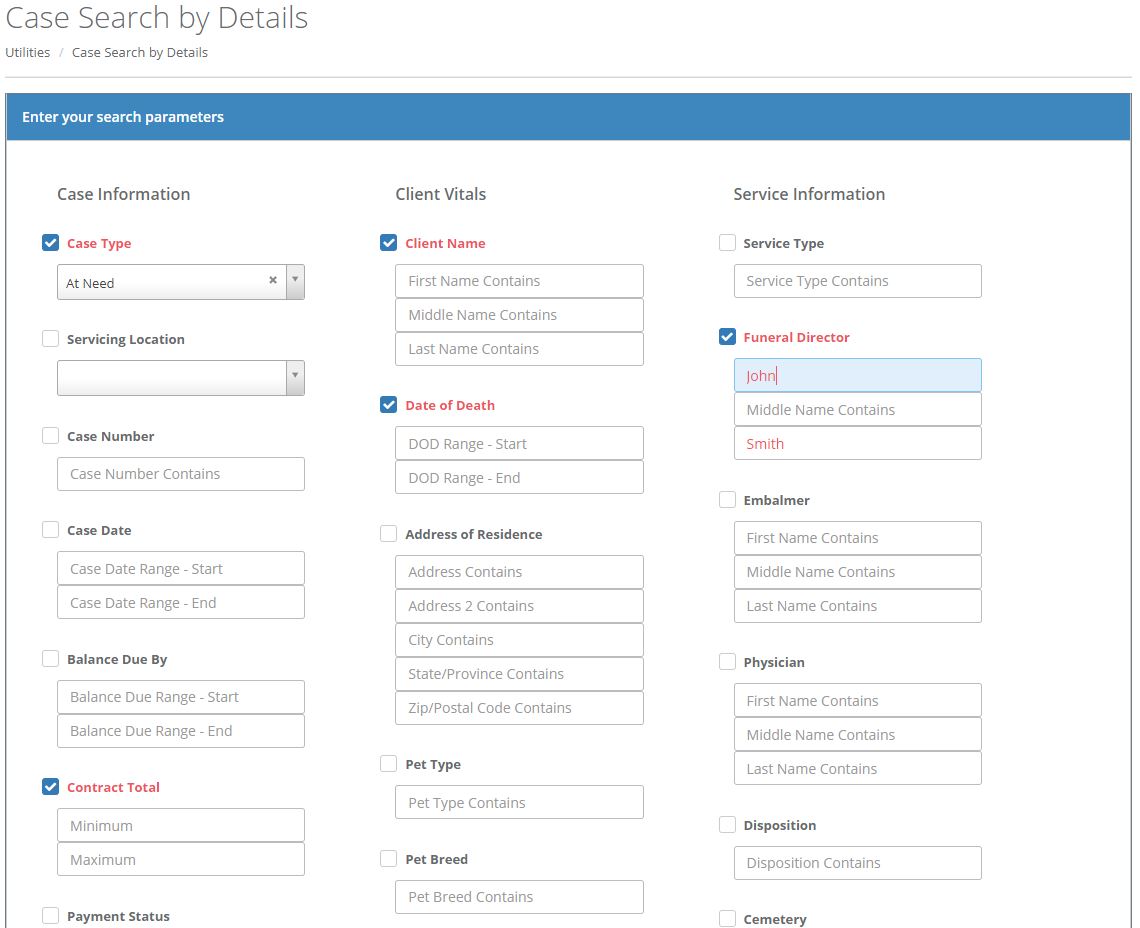
Clicking the Search button will find and return all cases matching your entered criteria.
You may filter the results by typing in the "Search" field.
Clicking the column headings will sort the data.
Clicking on the row will take you to the Clients Overview screen.
You may also export your results to a CSV.
Comments
0 comments
Please sign in to leave a comment.