Cash Advance Items and Other Service Items are maintained under Setup > Miscellaneous Setups > Contract Items.
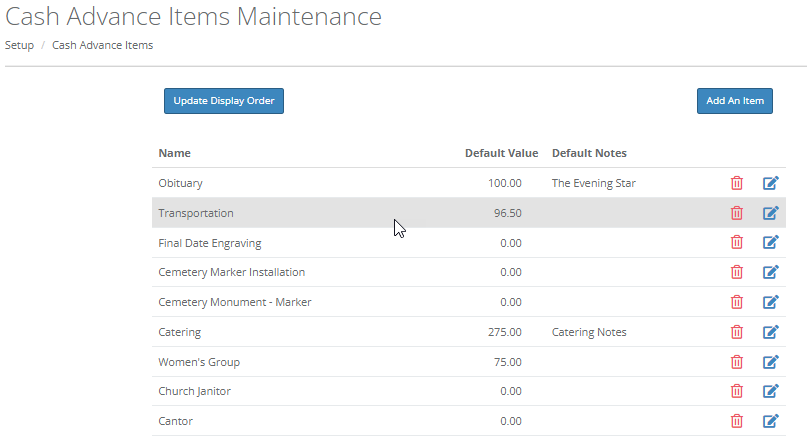
Click "Add An Item" to add a new item. Type in the name of the item, the default value, and the default notes that you wish to display. Click the green plus sign to add the new item. Click the red cancel button to go back.
Click the edit icon to edit the name of an existing item.
Click the trash can icon to delete an item.
You can change the order in which the items are displayed in drop down menus by dragging and dropping the items into place. Click "Update Display Order" to save your changes.
Note that these are the default values for each item- these values can be changed from the default value in the contract by simply typing a different value in.
Comments
0 comments
Please sign in to leave a comment.