You may use any QR Code scanner that can read 2D QR Codes in conjunction with your Halcyon Platinum system. The scanner that we use and are most familiar with is the TEEMI TMSL-50. Our updated recommendation as of August 2023 is the TEEMI TMSL-56, a newer model of the same product.
One reported issue with the TEEMI TMSL-50 QR Code scanner involves jumbled, incorrect results coming from the scanner when it is used in conjunction with an iPad- this is due to the scanner essentially scanning information too quickly for the iPad to translate it correctly.
For example, you may scan a location called "Shelf 3" and the output you receive says "Seflh 3".
This problem can be fixed by scanning codes to slow down the scanning speed. These are displayed below:
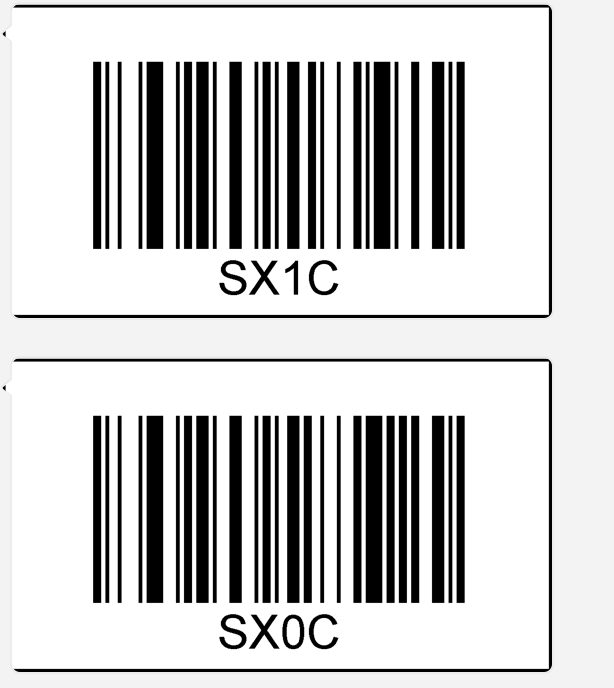
If you still see this issue after scanning the QR codes to slow the speed down, you may need to perform a factory reset on your scanner and re-pair your scanner to the iPad before scanning the slow down codes again. Instructions for completing a factory reset are available in the scanner's manual.
If you are using the TEEMI TMSL-56, you can find the user manual here.
Comments
0 comments
Please sign in to leave a comment.